Jobber Review 2026: The Best FSM Software for Small Teams?
Jobber
Jobber has been a staple in the field service management space for years, and the 2026 version shows why. It remains one of the most approachable platforms for small to mid-sized service businesses, particularly crews of 1 to 50 people who need scheduling, invoicing, and client management without the overhead of enterprise software.
What Jobber Does Well
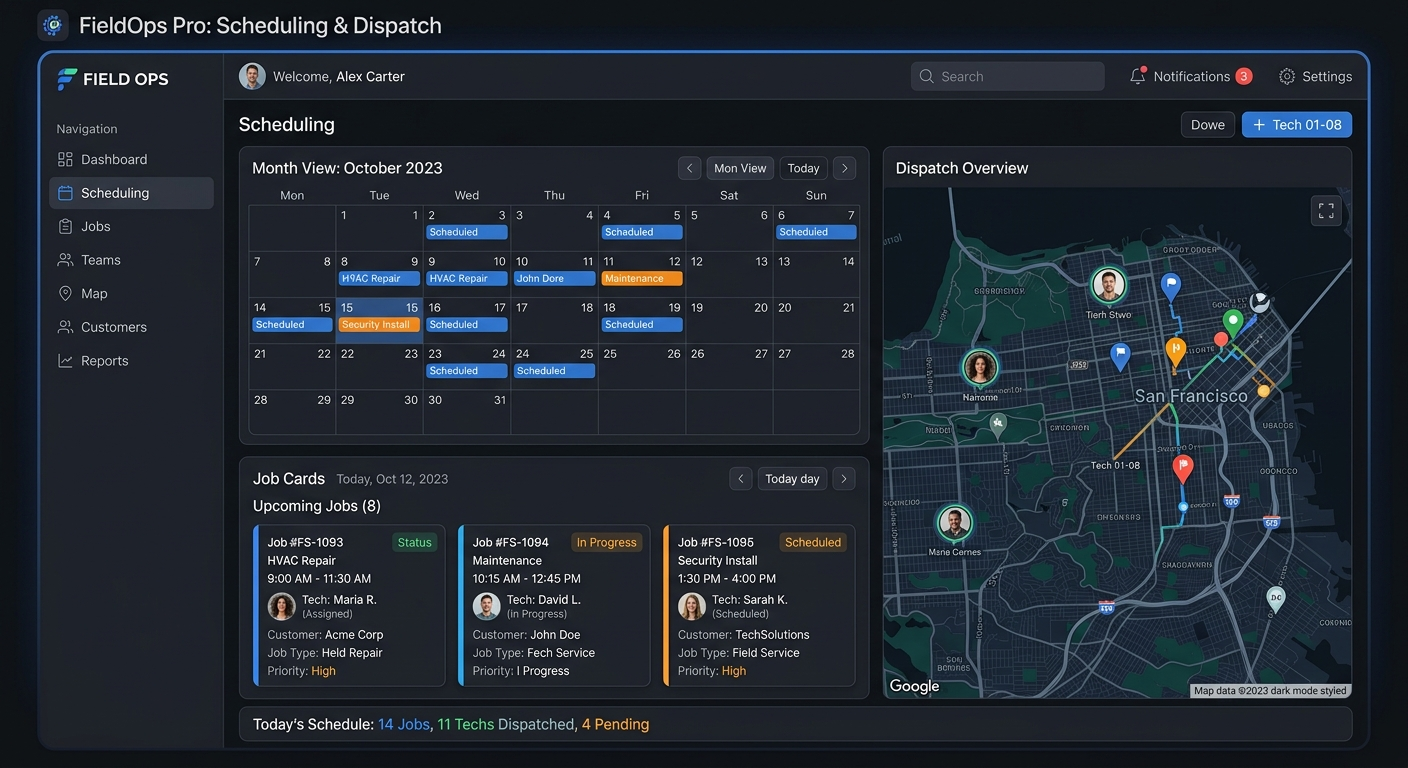
The scheduling and dispatch interface is where Jobber earns its keep. Drag-and-drop calendar management works the way you expect it to. You can assign jobs to specific technicians, view everyone’s schedule on a single screen, and reschedule visits without the three-click runaround that plagues some competitors. The map view showing technician locations relative to upcoming jobs is genuinely useful for reducing drive time.
Quoting and invoicing feel like they were designed by someone who has actually sent an invoice from a truck. You can build a quote on-site, convert it to a job with one tap, and send the invoice before you leave the property. Automated payment reminders cut down on the chasing. Batch invoicing handles recurring service agreements without manual entry each cycle.
The Client Hub gives customers a self-service portal to approve quotes, pay invoices, and request new work. This alone saves hours of phone tag every week. Customers can see their service history, upcoming appointments, and outstanding balances without calling your office.
Pricing
Jobber runs three tiers: Core ($49/month for one user), Connect ($129/month for up to 5 users), and Grow ($249/month for up to 15 users). Additional users on Connect and Grow cost $29/month each. The Core plan covers basics but lacks the automated follow-ups and job forms that make the platform worth using. Most real businesses will land on Connect or Grow.
There is no free plan, but the 14-day trial does not require a credit card and gives full access to the Grow tier.
Where It Falls Short
Reporting is Jobber’s weakest area. The built-in reports cover revenue, job completion rates, and basic team performance, but you cannot build custom reports without exporting to a spreadsheet. If you need granular labor cost analysis or profitability breakdowns by service type, you will outgrow the native reporting quickly.
The mobile app, while functional, occasionally lags when loading large job histories. This is not a dealbreaker, but on a phone with mediocre signal in a rural area, the delay is noticeable.
Integrations exist for QuickBooks, Stripe, Mailchimp, and a handful of others, but the ecosystem is smaller than ServiceTitan or Housecall Pro. If your business depends on a specific CRM or accounting platform outside the mainstream options, check compatibility before committing.
Verdict
Jobber is the right choice for small field service businesses that want clean scheduling, fast invoicing, and a customer portal without paying enterprise prices. It does the core job well and stays out of your way. The reporting limitations and smaller integration library are real tradeoffs, but for a crew of 2 to 15 people running residential or light commercial work, Jobber handles the daily grind better than most alternatives at its price point.